AI YouTube Channel Branding: How It’s Changing Horror (2026)
AI YouTube channel branding has changed how horror creators start: you can now get a spooky logo concept, a foggy banner background and a dozen thumbnail ideas in an afternoon, for little or no money. What it has not changed is what makes a horror channel memorable: a name that reads at a glance, one consistent look, and visuals nobody else is already using.
Here is what AI really does well for horror, true crime, paranormal and creepypasta channels, where it still breaks, which YouTube and copyright rules matter, and a simple workflow that uses AI without making your channel look like everyone else’s.
How AI YouTube Channel Branding Changed the Starting Line
A few years ago, a new horror channel had three choices: learn design software, buy a template, or hire someone. Today most creators open an AI image tool first. Design platforms like Canva now ship built-in AI logo and image generators, and newer models such as Ideogram market themselves on rendering text inside images, which used to be the weakest point of AI art.
That shift shows up on the platform. Browse new horror, creepypasta and “scary stories” channels and you will see the same visual habits again and again:
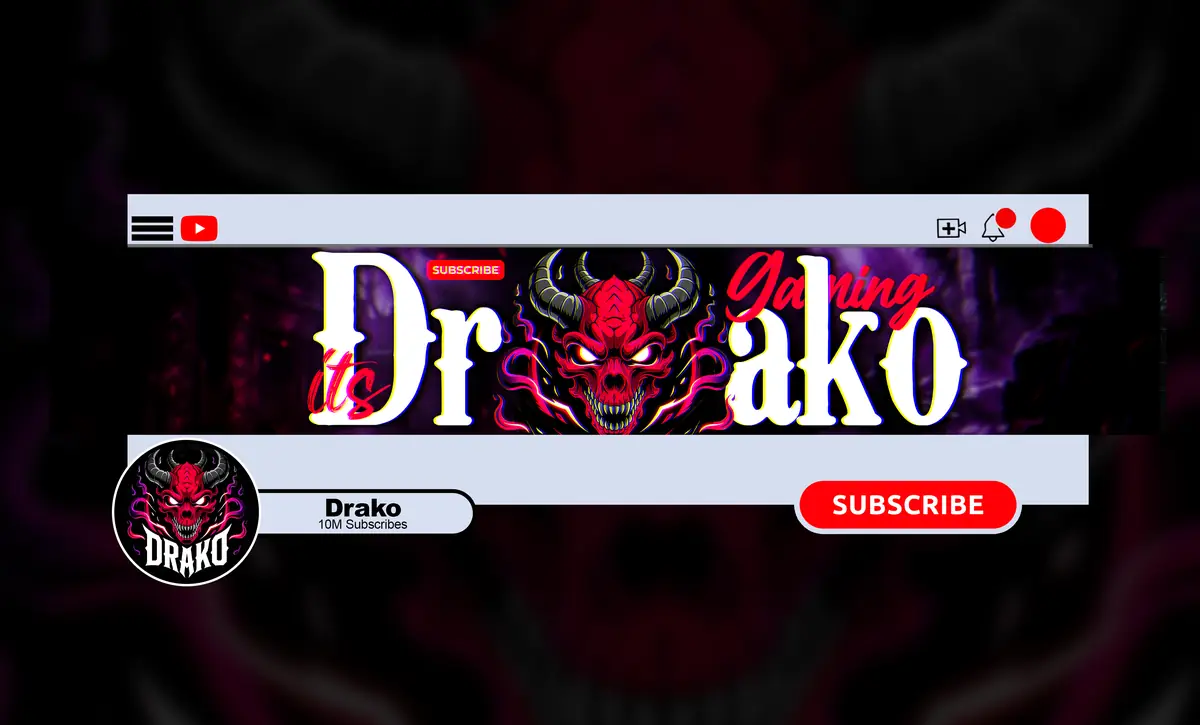
- Hyper-detailed hooded figures, skull faces and glowing-eyed demons as profile pictures
- Glossy, airbrushed banner scenes: a haunted house, a full moon, fog, all at once
- Thumbnails with the same over-smooth “AI look” and slightly melted hands or faces
- Channel names set in a generic font on top of an AI background, because the AI lettering came out broken
None of this is wrong for a channel’s first weeks. The problem is that when thousands of channels pull from the same tools and similar prompts, the results start to blur together, and in horror, where every channel already uses dark backgrounds and red accents, standing out was already hard.
What AI Does Well for Horror Channel Branding
Used for the right jobs, AI is a real time saver:
- Mood boards. Generate 30 variations of “abandoned hospital, 1990s camcorder look” in minutes to find the mood you want before you spend money.
- Background textures. Fog, grain, rust, stained paper and static are easy for AI and hard to tell apart from stock.
- Thumbnail ideas. Quick compositions to test which angle or prop tells the story best.
- Name and tagline brainstorming. Text models are good at listing options; you still pick the one that fits.
- Speed and cost. Free or low-cost tools mean you can launch today and upgrade later.
Where AI Branding Still Breaks
The limits show up the moment a design has to work as a brand, not a single picture:
- Lettering. Even with better text models, channel names still come out with swapped or extra letters, and horror’s distressed styles make errors harder to spot until a viewer does.
- Small sizes. AI logos are usually packed with detail. YouTube shows your profile picture as small as a tiny circle beside comments, where that detail turns into a smudge. Our guide on how to design a horror YouTube logo explains the 98 px test.
- Consistency. Ask for the same creature in a banner, a watermark and an intro and you get three cousins, not one character.
- File formats. You get a flat raster image. No vector logo, no layered file, no transparent watermark, no animated version.
- Sameness. If your prompt is generic, your result is generic, and another channel may have something nearly identical.
| Branding asset | Size YouTube uses | AI alone? | Why |
|---|---|---|---|
| Banner | 2560 × 1440 px, text inside the 1546 × 423 px safe area | Background only | AI does not know the safe area; names get cropped on phones |
| Profile picture / logo | 800 × 800 px, shown as a circle | Risky | Too much detail and broken letters at small sizes |
| Watermark | 150 × 150 px, transparent PNG | Rarely | Needs a clean, simplified version of your logo |
| Thumbnails | 1280 × 720 px | Good for ideas | Needs a fixed layout and type to stay on-brand |
| Intro / outro | 1920 × 1080 px video | Not yet reliable | Motion, sound and logo animation must match |
For the full side-by-side, read our comparison of AI vs professional design for horror YouTube branding.
The Rules That Matter: YouTube and Copyright
YouTube’s “inauthentic content” policy
On July 15, 2025, YouTube updated its Partner Program rules and renamed “repetitious content” to “inauthentic content,” aimed at mass-produced and repetitive videos. It is about videos, not logos or banners, and YouTube has not banned AI tools. But it is a signal: channels that look templated and interchangeable are the ones the platform is trying to filter. A distinct identity helps show there is a real creator behind the channel.
The altered or synthetic content label
Since 2024, YouTube asks creators to disclose realistic altered or synthetic content in their videos, meaning footage a viewer could mistake for a real person, place or event. Clearly unrealistic fantasy content is treated differently. Channel art is not what this rule targets, but if you use AI in “real footage” style horror, check the disclosure setting when you upload.
Who owns an AI logo?
In its January 2025 report on copyrightability, the US Copyright Office said that prompts alone do not give enough human control to make an AI output copyrightable, while human-authored parts and meaningful edits can be protected. In practice, a logo that is pure AI output may be hard to protect as your own. Read each tool’s terms for commercial use too. This is general information, not legal advice; ask a lawyer if your brand depends on it.
A Smart AI Branding Workflow for Horror Creators
You do not have to pick a side. This is the workflow that gets the speed of AI without the generic result:
- Define your niche and mood first. Analog horror, true crime case files and gothic narration need different looks. Write three words for your mood.
- Use AI for exploration. Generate mood boards, color ideas and props. Save the five you like most.
- Pick one symbol and one palette. One mark, two or three colors. Our horror color palette guide has niche palettes with hex codes.
- Hand-build the type. Set your channel name in a real, licensed font or custom lettering, never AI-generated letters.
- Test at real sizes. Check the logo at 98 px and the banner on a phone before you publish.
- Make the system. Logo, banner, watermark, thumbnail template and intro should all share the same symbol, colors and type.
Steps 1 and 2 are where AI shines. Steps 3 to 6 are where most channels either spend hours learning design tools or bring in a designer. If you already have AI mood boards you love, they make a great brief: send them over and a custom banner and logo from the Standard package ($70) can turn them into an original, readable identity that is actually yours.
Do’s and Don’ts for AI in Your Horror Branding
- Do use AI for textures, mood boards and thumbnail sketches.
- Do zoom in on every AI image for extra fingers, melted faces and fake letters before it goes live.
- Do keep one master logo file and reuse it everywhere.
- Don’t use AI to write your channel name inside the image.
- Don’t prompt for a famous horror villain, game character or movie poster style you don’t have rights to.
- Don’t change your profile picture every month because a new tool came out. Recognition comes from repetition.
For more on what makes viewers recognize you across videos, see what makes a great horror YouTube channel identity.
AI YouTube Channel Branding: FAQ
Can I use an AI-generated logo for my YouTube channel?
Yes, YouTube does not ban AI-generated logos or banners. Check the tool’s terms for commercial use, and know that pure AI output may be hard to protect under US copyright. The practical risks are broken letters, too much detail at small sizes and a look that other channels already share.
Does YouTube demonetize channels that use AI?
Not for using AI as such. Since July 15, 2025, YouTube’s “inauthentic content” rule targets mass-produced, repetitive videos, whether or not AI made them. Realistic AI footage in videos must also be disclosed. Using AI for a banner background or mood board is not what these rules are aimed at.
What is the best AI logo generator for YouTube?
Tools with better text rendering, such as Ideogram, and all-in-one editors with AI built in, such as Canva, are popular starting points. No generator reliably gives you a clean vector logo, a matching watermark and an animated intro, so treat any of them as a concept tool, then refine the result.
Will AI replace designers for YouTube branding?
AI has replaced a lot of quick, one-off images, especially for brand-new channels. It has not replaced the work of turning a mood into a consistent system: readable lettering, a logo that works at 98 px, matching motion intros and source files. Many creators now use both, AI to explore and a designer to finish.
Turn Your AI Mood Board Into a Real Horror Brand
Send us your references and get a custom horror banner for $45, a banner plus logo for $70, or the full identity with watermark, intro, outro and source files for $190. Hand-made, unlimited revisions and a full refund if you cancel before work starts. Get the full Premium identity or compare all packages.