Horror YouTube Channel Designer: How to Choose One (2026)
The right horror YouTube channel designer is someone whose portfolio already looks like the channel you want to become, who designs for YouTube’s real crops and sizes, and who tells you in writing what you get, when, and what happens if you change your mind. Everything else (price, platform, how nice their own website looks) comes second.
Horror is a hard genre to brand. Fog, grain, red light and distressed type look great at full size and turn into mud at 98 pixels. Below is a practical checklist for hiring a designer for a horror, true crime, paranormal, creepypasta or horror gaming channel, with the questions to ask and the red flags to walk away from.
What a Horror YouTube Channel Designer Should Actually Deliver
Before you compare designers, know what “done” looks like. A channel identity is not one image. It is a small system of files that must work on phones, desktop and TV, and look like they belong together.
| Asset | Size to ask for | What a good designer checks |
|---|---|---|
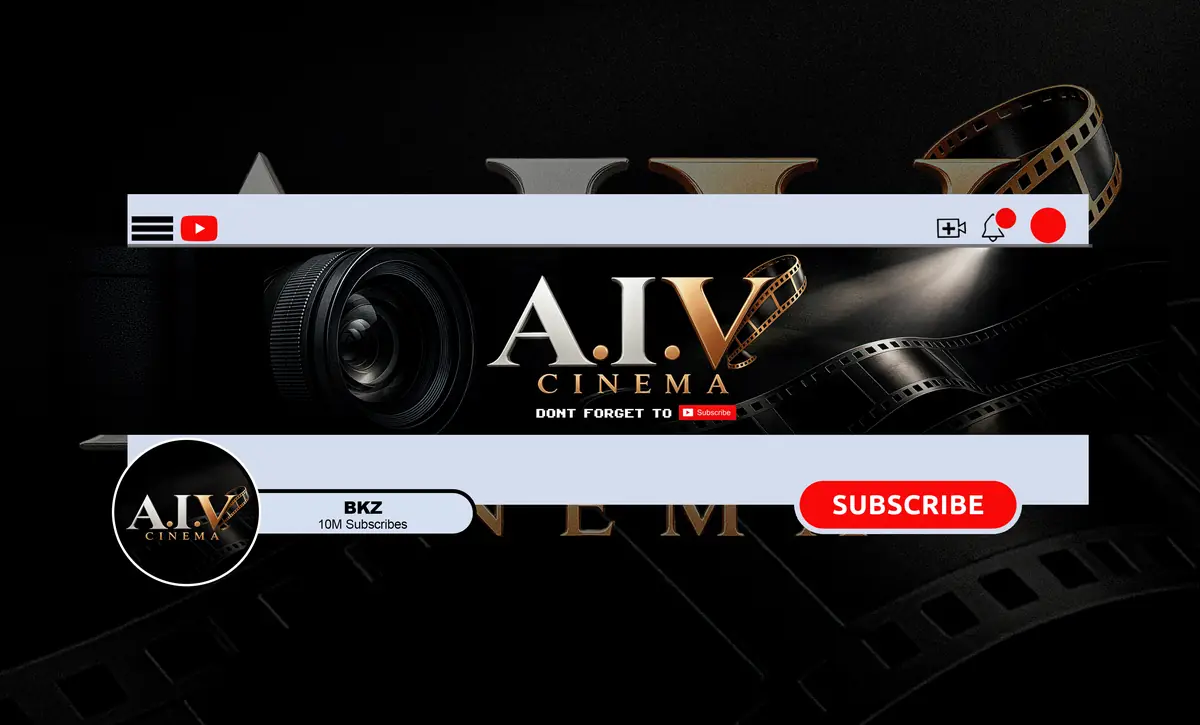
| Banner | 2560 × 1440 px, under 6 MB | Name and key art inside the 1546 × 423 px safe area |
| Profile picture / logo | 800 × 800 px, shown as a circle | Still readable at about 98 px |
| Watermark | 150 × 150 px | Simple mark that works over dark and bright frames |
| Intro / outro | 1920 × 1080 px video | Short intro, outro with room for end-screen elements |
| Source files | Layered PSD / project files | You can edit text or reuse elements later |
If a quote does not mention sizes, the safe area or file formats, ask. Our guide to the YouTube banner size for horror channels shows why the safe area matters so much on mobile.
Step 1: Judge the Portfolio Like a Viewer, Not a Fan
Most designers show their work at full size, where everything looks impressive. Your viewers will meet your brand as a tiny circle next to a video title. So look at a portfolio the way they will.
- Shrink it. Zoom out until the profile pictures are thumbnail size. Can you still read the name or recognize the mark?
- Look for horror, not “dark.” Gaming neon and corporate logos with a red filter are not horror branding. Look for real genre work: paranormal, true crime, analog horror, creepypasta.
- Check that the sets match. Does each banner share its fonts, colors and texture with the matching logo? Matching sets are the whole point of hiring someone.
- See the variety. If every channel in the portfolio looks the same, yours will too.
- Ask for real channels. Mockups are fine, but a designer should be able to point to live channels using their work.
Step 2: Ask These Questions Before You Pay
A good YouTube channel art designer answers these quickly and in writing. Vague answers now usually mean surprises later.
- Is the design custom or template-based? Templates are fine for a test channel, but thousands of horror channels use the same stock skulls and haunted houses.
- How many revisions are included? Revisions are where a design becomes yours. One round is rarely enough.
- What exactly is delivered? Get the file list: banner, logo in which sizes, watermark, video formats.
- Do I get source files? Many sellers charge extra for them. Without them, every small text change means paying again.
- What is the delivery time, and what counts as day one? Some timelines start only after you send all your info.
- What if I cancel? Ask about refunds before work starts and after.
- Is any of it AI-generated? Not automatically a problem, but you should know. AI images often struggle with lettering and consistency. We compare both routes in AI vs professional design for horror YouTube branding.
Step 3: Know the Red Flags
Walk away, or at least slow down, if you see any of these:
- Don’t hire someone whose banner samples put text at the far edges. On phones, that text gets cut off.
- Don’t accept a logo with thin script or tiny details. It becomes a gray smudge in comments and search results.
- Don’t trust a portfolio that uses famous movie characters, game screenshots or celebrity faces. You cannot safely build a brand on someone else’s IP.
- Don’t pay a “starting at” price without checking which extras (revisions, source files, rush delivery) you will actually need.
- Don’t work with a designer who won’t put the scope in writing.
And the good signs:
- Do look for clear, fixed package prices with a file list.
- Do favor designers who ask about your niche, tone and upload style before they start.
- Do pick someone who also handles motion (intro, outro, watermark) if you will want them later, so everything matches.
Step 4: Compare Your Options Honestly
There is no single right place to hire a YouTube banner designer. Each option fits a different stage of a channel.
| Option | Good for | Watch out for |
|---|---|---|
| DIY / AI tools | Testing a niche on a $0 budget | Generic look, broken lettering, assets that don’t match |
| General marketplace freelancers | Cheap one-off banners | Add-on fees, few horror specialists, uneven quality |
| Horror-focused studio | A matching identity built for the genre | Costs more than the cheapest gig |
| Full-service agency | Large brands with big budgets | Usually overkill for a solo creator |
For real numbers on each route, see our breakdown of YouTube channel branding cost for horror creators.
Step 5: Send a Brief That Gets You a Better Design
Even a great designer can only work with what you give them. A short brief saves revision rounds:
- Your exact channel name and handle, spelled the way you want it shown
- Your niche and tone: cozy scary stories, gritty true crime, VHS analog horror, jump-scare gaming
- 2–3 channels or posters whose mood you like (not to copy, just to show direction)
- Colors or symbols you want, and ones you hate
- Where you post: YouTube only, or also Twitch, Kick and TikTok
- Your upload schedule and what you plan to add later (intro, outro, watermark)
If you are not sure which pieces to order, our guide to what a horror YouTube branding package should include walks through each one.
How NightCaseStudio Fits This Checklist
We only design horror branding, so here is how our packages stack up against the questions above. Every package includes unlimited revisions and a full refund if you cancel before work starts.
- Basic, $45, 3 days: a custom horror banner. Best if you already have a logo you like.
- Standard, $70, 4 days: banner plus a custom logo. The right pick for most new and growing channels, because your logo appears next to every video and comment.
- Premium, $190, 7 days: banner, logo, watermark, intro video, outro video, the full identity and source files. For creators uploading regularly who want everything to match.
Need Twitch panels, overlays, emotes, thumbnails or an offline screen? Message us and we will tell you what is possible. You can also watch our horror intros before deciding.
Horror YouTube Channel Designer FAQ
How much does it cost to hire a YouTube channel designer?
It ranges from cheap marketplace gigs for a single banner to several hundred dollars for a full identity with animation. Always check what the price includes: revisions, source files and delivery time. At NightCaseStudio, a horror banner is $45, banner plus logo is $70, and the full identity with intro and outro is $190.
Where can I find a good YouTube banner designer?
You can find designers on freelance marketplaces, through creator communities, or by going straight to a studio that specializes in your genre. Wherever you look, judge the portfolio at thumbnail size, confirm the work is original and get the scope, revisions and refund policy in writing before paying anything.
What should I send a designer for my YouTube channel?
Send your exact channel name, your niche and tone, two or three examples of moods you like, colors to use or avoid, and the platforms you post on. Mention any assets you will want later, like an intro or watermark, so the designer can build a style that will still work when you expand.
How long does it take to design YouTube channel art?
A custom banner usually takes a few days, and a full identity with animated intro and outro takes longer because motion and sound need extra work. NightCaseStudio delivers a banner in 3 days, banner plus logo in 4 days and the complete Premium identity in 7 days, with unlimited revisions included.
Hire a Designer Who Only Does Horror
Get a custom horror banner for $45, a banner and logo for $70, or the full identity with watermark, intro, outro and source files for $190. Unlimited revisions, fixed delivery dates and a full refund if you cancel before work starts. Compare the packages and start your brand.