
YouTube Watermark for Horror Channels: Size & Ideas (2026)
A YouTube watermark is the small square image that sits in the bottom-right corner of your videos, and YouTube asks for a square file of at least 150 × 150 pixels under 1 MB. For a horror channel it is the quietest piece of branding you own: it stays on screen while people watch, it reminds them whose story they are hearing, and on a computer it gives them a one-click way to subscribe.
Most creators upload their profile picture as a watermark and forget about it. That usually works badly on dark horror footage. Below are YouTube’s current rules, the size that actually reads on screen, eight watermark ideas by niche and the mistakes that make it disappear.
YouTube Watermark Size and Rules (2026)
These are the requirements in YouTube’s own help pages as of today. You add the watermark in YouTube Studio under Customization → Branding, and it applies to all your eligible videos at once, old uploads included.
| Setting | What YouTube says | What we recommend for horror |
|---|---|---|
| Size | Minimum 150 × 150 px, square | Design at 600 × 600 px, export a sharp square that still reads at 150 px |
| File size | Less than 1 MB | PNG with a transparent background, usually well under 1 MB |
| Position | Bottom-right corner of the player | Keep captions, subtitles and key visuals out of that corner |
| Display time | End of video (last 15 seconds), custom start time, or entire video | Entire video for narration channels; custom start for gameplay |
| Where it shows | Landscape view on computers and mobile; not clickable on mobile | Design for the small mobile view first |
| Made for kids | Not shown on videos set as made for kids | Not an issue for most horror content |
Two details people miss. First, the watermark is an overlay added by YouTube, not burned into your video file, so it does not protect your footage from being reuploaded. Second, it shows up as a small mark, so anything that is not bold and simple turns into a smudge. The same rule applies to your profile picture, which we cover in how to design a horror YouTube logo.
What Makes a Good YouTube Watermark for a Horror Channel
A horror watermark has a harder job than most. Your footage is dark, often grainy, sometimes flashing red. The mark has to stay visible on all of that without stealing attention from the scare.
- One shape, not a scene. A skull, an eye, a monogram or a symbol. Your banner can hold the haunted house; the watermark cannot.
- A light edge. Bone white, pale gray or a thin outline keeps a dark mark visible on black frames.
- One accent color. Use the red (or green, or purple) from your horror color palette so it matches your logo and thumbnails.
- Transparent background. A square with a solid black box around the mark looks like a sticker slapped on the video.
- Clear meaning at small size. If you need to explain what it is, it is too detailed.
8 YouTube Watermark Ideas for Horror Niches
1. Simplified logo icon
Take the symbol from your logo, drop the channel name and thicken the lines. This is the safest choice for every niche because it links the video straight back to your profile picture.
2. Monogram or initials
Two letters in a heavy serif or a cut, distressed sans-serif. Works well for narration and creepypasta channels with long names that will never fit in 150 pixels.
3. Case-file stamp for true crime
A round or square evidence stamp with a single letter or symbol. Keep the “CASE” text out; it will be unreadable. The shape alone says true crime.
4. Spirit box or EMF symbol for paranormal
A simple signal wave, a lantern or an eye works for ghost hunting channels. Pale green or cold blue on a light edge reads well on night-vision footage.
5. Station bug for analog horror
Old TV stations put a small logo in the corner of the broadcast. A fake station bug fits analog horror perfectly and feels like part of the story, not an ad.
6. REC dot for found footage
A red recording dot combined with your initial or symbol. It blends into the camcorder look while still being yours.
7. Mascot head for horror gaming
If your brand has a mascot, use only the head, cropped tight, with a thick outline. It stays visible over bright game HUDs and busy menus.
8. Animated-look still for cinematic channels
Cinematic horror channels can use the final frame of their intro logo as the watermark. Viewers see the same mark at the start of the video and in the corner all the way through, which ties the whole horror YouTube intro and video together.
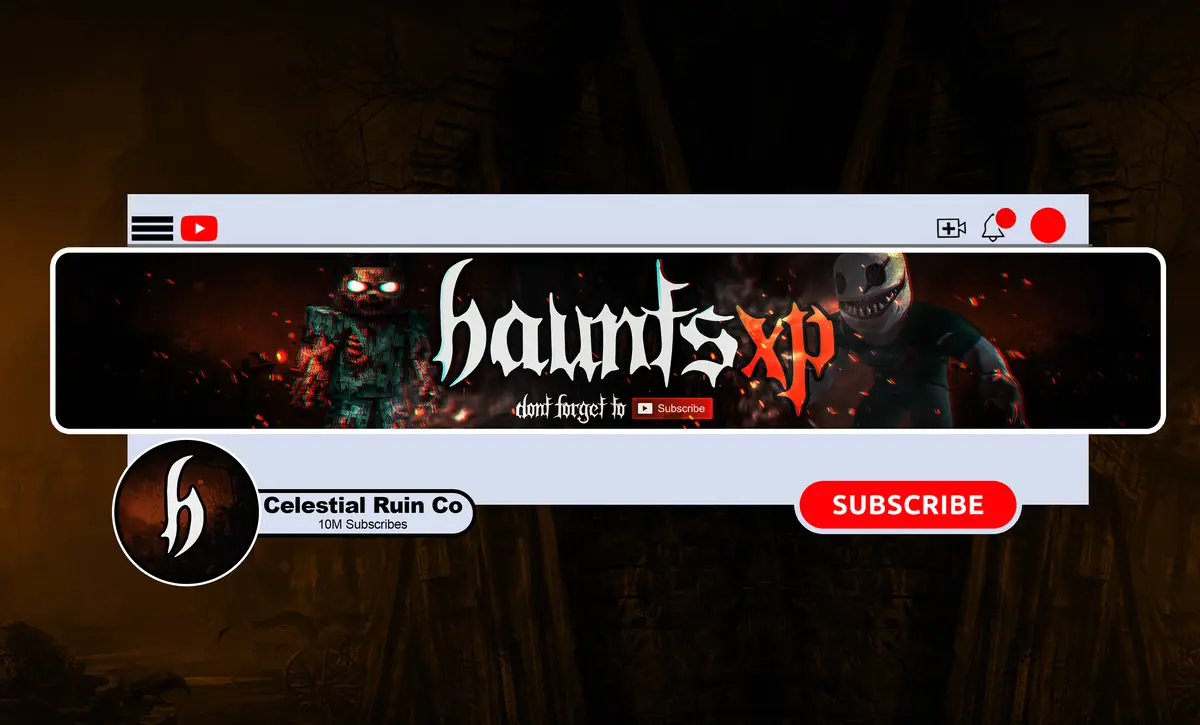
The easiest way to get a watermark that matches is to design it at the same time as your logo. That is why the watermark is part of our Premium horror branding package, together with the banner, logo, intro, outro and source files, so the corner mark is cut from the same identity as everything else.
How to Add a Watermark on YouTube, Step by Step
- Export your mark as a square PNG with a transparent background, at least 150 × 150 px and under 1 MB.
- Open YouTube Studio on a computer and go to Customization, then Branding.
- Under Video watermark, click Upload and choose your file.
- Pick the display time: end of video, custom start time or entire video.
- Click Publish. Then open one of your darkest videos and one of your brightest to check that the mark is visible on both.
Which display time should you choose?
- Entire video: best for long narration, documentary and true crime videos where people watch for many minutes. More time on screen means more chances to be remembered.
- Custom start time: good if your intro already shows the logo, so the watermark appears right after it.
- End of video: only the last 15 seconds. It overlaps your outro, so it makes sense only if your horror YouTube outro leaves that corner clear.
YouTube Watermark Mistakes Horror Channels Make
- Don’t upload your full banner art or a detailed illustration. It shrinks into a gray blur.
- Don’t use a black mark with no outline. On a dark horror frame it vanishes.
- Don’t write “SUBSCRIBE” in tiny letters. It will not be readable, and YouTube already handles the subscribe action on desktop.
- Don’t place your own subtitles or on-screen text in the bottom-right corner, where they collide with the mark.
- Don’t use a watermark style that does not match your logo. Viewers should recognize it from your profile picture instantly.
- Do test it on your phone in landscape, where most people see it.
- Do keep the same symbol on your logo, watermark, intro and thumbnails.
- Do add the watermark to your YouTube branding checklist so it gets updated whenever your logo changes.
YouTube Watermark FAQ
What size should a YouTube watermark be?
YouTube asks for a square image of at least 150 × 150 pixels that is smaller than 1 MB. In practice, design it larger, around 600 × 600 px, so the edges stay crisp, and export a PNG with a transparent background. Then check that the shape is still clear when you shrink it to 150 px.
Why is my YouTube watermark not showing?
Check the display time first: “End of video” only shows it for the last 15 seconds. The watermark also does not appear on videos set as made for kids, and it shows in landscape view, so you may miss it in portrait mode. Some embedded players can hide it too. Changes can take a little time to appear.
Does a YouTube watermark help you get subscribers?
It can help. On a computer, viewers can click the watermark to subscribe, and on every device it keeps your brand on screen while people watch. It is not clickable on mobile, so treat it as a recognition tool first and pair it with an end screen and a spoken call to action.
Should my watermark be the same as my profile picture?
It should use the same symbol, but not always the same file. Profile pictures often include a background, frame or channel name that looks cluttered in a video corner. A good watermark is the simplified icon from your logo on a transparent background, so viewers connect the two instantly without the extra detail.
Get a Horror Watermark That Matches Your Whole Channel
Our Premium package ($190, 7-day delivery) includes a custom watermark plus banner, logo, intro, outro, full identity and source files. Only need the face of your brand? The Standard package ($70) gives you a banner and custom logo. Unlimited revisions and a full refund if you cancel before work starts.