YouTube Outro for Horror Channels: Ideas & End Screen (2026)
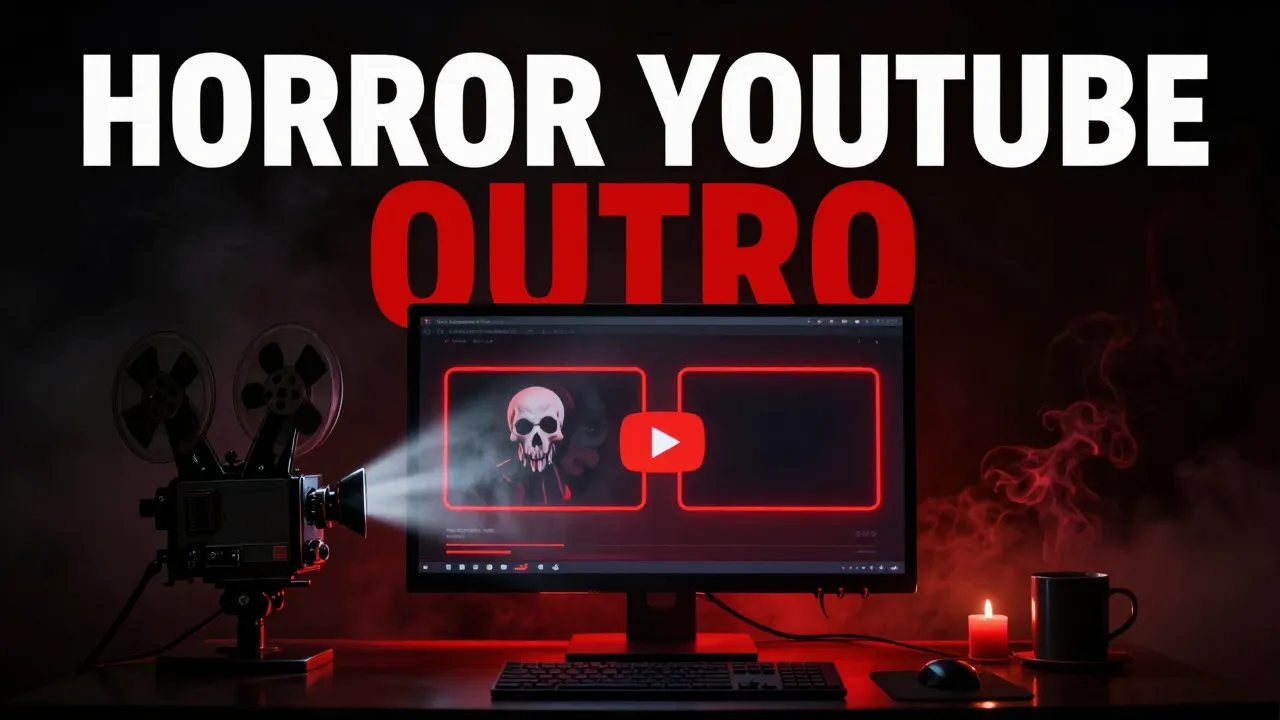
A good YouTube outro for a horror channel is a short, branded closing scene that lasts as long as your end screen (5 to 20 seconds) and gives viewers one clear next step: watch another video. Get it right and the last seconds of every upload keep people on your channel instead of sending them back to the homepage.
Below you will find YouTube’s real end screen rules, 8 horror outro ideas by niche, the layout that leaves room for clickable elements, and the mistakes that make viewers leave early.
What a YouTube Outro Actually Does
People often mix up two things:
- The outro is the closing video you edit onto the end of your upload: background, motion, music, your logo.
- The end screen is the set of clickable elements you add in YouTube Studio on top of that closing video: a suggested video, a playlist, a subscribe button, your channel or a link.
The outro is the stage, the end screen is the cast. A horror outro should feel like the closing scene of your show, then leave clean, dark space where the clickable boxes sit. If you already have a branded opening, the outro should mirror it. Our guide to the horror YouTube intro explains how to pair the two.
YouTube End Screen Rules Your Outro Must Fit (2026)
These come from YouTube’s own Help Center. Design your outro around them, not the other way round.
| Rule | What YouTube allows | What it means for your outro |
|---|---|---|
| Minimum video length | Video must be at least 25 seconds | Very short clips can’t carry an end screen at all |
| End screen duration | The last 5 to 20 seconds of the video | Make your outro 5 to 20 seconds long; 10 to 20 gives viewers time to click |
| Number of elements | Up to 4 on a standard 16:9 video | Leave space for up to 4 boxes; other aspect ratios may allow fewer |
| Element types | Video or playlist, subscribe, channel, external link (YouTube Partner Program members only) | Plan one big video slot plus a subscribe spot |
| Made for Kids videos | End screens not available | The outro still plays, but nothing is clickable |
| Where they don’t show | YouTube Music app, mobile web (except iPad), 360° videos; viewers can also hide them | Your outro must look good even with no boxes on top |
| Recommended canvas | 1920 × 1080 px (16:9) | Export the outro at your normal video resolution |
That last row about viewers hiding end screens matters more than it seems: a great outro is still a finished scene when the boxes are gone. A plain black frame with “subscribe” text looks broken in that case.
8 Horror YouTube Outro Ideas by Niche
1. The fog-and-frame outro (any horror channel)
Slow drifting fog, a subtle red rim light and two empty frames styled like old picture frames or film windows. YouTube places your video elements inside them. Simple, cinematic and it works for almost every niche.
2. The case-file outro (true crime)
A desk with a closed case folder, an evidence board in the background and slots shaped like Polaroids for your next video. Keep it respectful: no real victims’ photos, no gore. For more ideas see our true crime YouTube branding ideas.
3. The tape-ends outro (analog horror and found footage)
Tracking lines, a blue “no signal” screen or a camcorder REC light that blinks off. The video slots look like monitors in a security room. Keep the glitch light so the clickable boxes stay easy to see.
4. The campfire outro (scary stories and creepypasta)
A dark forest, a dying campfire and your narrator’s sign-off line in the voiceover. The fire lights one side of the frame, the other side holds the video slot. It feels like the end of a story, not a sales pitch.
5. The EMF-spike outro (paranormal and ghost hunting)
Night-vision green or cold blue, a flickering flashlight beam and a meter that spikes as your logo appears. Matches the look of investigation footage your viewers just watched.
6. The boss-defeated outro (horror gaming)
A game-over style screen with your mascot or logo, punchy sound and slots framed like save files. Gaming outros can move faster and louder than narration channels.
7. The archive outro (horror documentary and dark mystery)
Old paper texture, a slow push on a sealed envelope and a single strong video slot labeled by its thumbnail. Calm and serious, like the credits of a documentary.
8. The minimal logo-lock outro
Pure black, your logo fades in at the center top, a low drone sound, and the two video slots below. If your branding is clean and minimal, the outro should be too.

How to Lay Out a Horror YouTube Outro Step by Step
- Start from a 1920 × 1080 canvas and decide the length: 10 to 20 seconds for most channels, never more than 20 if you want end screen elements across the whole outro.
- Block out the clickable zones first. One large video or playlist slot, a second video slot, and a circle for the subscribe element (it shows your profile picture). Keep them away from the very edges.
- Put your logo where nothing will cover it, usually top center. Make sure it reads at small size, the same test you use for a horror YouTube logo.
- Add slow, looping motion in the background: fog, flicker, film grain. Fast motion behind the boxes pulls eyes away from the click.
- Use your channel palette. The outro should use the same 2 or 3 colors as your banner, thumbnails and intro.
- Add sound: a short sting, a low drone or your recurring sign-off line. Keep it quieter than the main video so it doesn’t feel like an ad.
- Save it as an end screen template in YouTube Studio so every upload uses the same layout in seconds.
If you’d rather not build this yourself, every outro in our Premium horror branding package is designed this way: matched to your intro, logo and banner, with end-screen space already planned.
Horror Outro Do’s and Don’ts
- Do point to one specific next video (“watch the second part”) rather than “check out my other videos.”
- Do start the outro right after your last line of content. A long “thanks for watching” segment loses people before the end screen appears.
- Do keep thumbnails consistent so the video slot looks like part of your brand. Our guide on horror YouTube thumbnails and branding shows how.
- Do mirror your intro: same logo, same sound family, same texture.
- Don’t put text or faces exactly where the clickable boxes will sit.
- Don’t use loud jump scares in the outro. People who are startled click away, not through.
- Don’t use copyrighted movie clips or game footage you don’t have rights to as the background.
- Don’t change your outro style every month. Repetition is what makes it recognizable.
DIY Template or Custom Horror Outro?
Free outro templates in online editors are fine for your first uploads. The problem for horror is that the same “spooky” templates appear on many channels, and they rarely match your logo or intro. A custom outro is worth it once you upload on a schedule and want every video to end the same recognizable way.
At NightCaseStudio, the intro and outro come together in the Premium package ($190, 7-day delivery) along with your banner, logo, watermark, full identity and source files. If you only need a banner ($45) or a banner plus logo ($70), start there and add motion later. Not sure which pieces you need? Read what a horror YouTube branding package should include.
YouTube Outro FAQ
How long should a YouTube outro be?
Match it to the end screen window. YouTube lets end screen elements appear in the last 5 to 20 seconds of a video, so an outro of 10 to 20 seconds is the practical range. Shorter than that gives viewers little time to click; longer than 20 seconds means part of your outro has no clickable elements.
What size should a YouTube outro be?
Make it the same size as your videos, usually 1920 × 1080 px in 16:9. That lets YouTube place up to four end screen elements on standard widescreen videos. Leave dark, uncluttered space for the video slots and the round subscribe element, and keep your logo where those boxes won’t cover it.
Why can’t I add an end screen to my video?
The most common reasons are that the video is shorter than 25 seconds or it is set as Made for Kids, where end screens aren’t available. End screens also don’t appear in the YouTube Music app, on most mobile web browsers or on 360° videos, and viewers can choose to hide them.
What is the difference between an outro and an end screen?
The outro is the closing video you edit onto your upload, with your background, motion, music and logo. The end screen is the set of clickable elements you add on top of it in YouTube Studio, such as a suggested video, playlist, subscribe button or channel link. A good outro is designed with space for them.
Get a Horror Outro That Matches Your Whole Channel
The Premium package ($190, 7-day delivery) includes a custom outro with end-screen space, a matching intro, banner, logo, watermark and source files. Unlimited revisions, and a full refund if you cancel before work starts. Just need a banner or logo? Compare all packages.