Horror Gaming Channel Branding Ideas (2026)
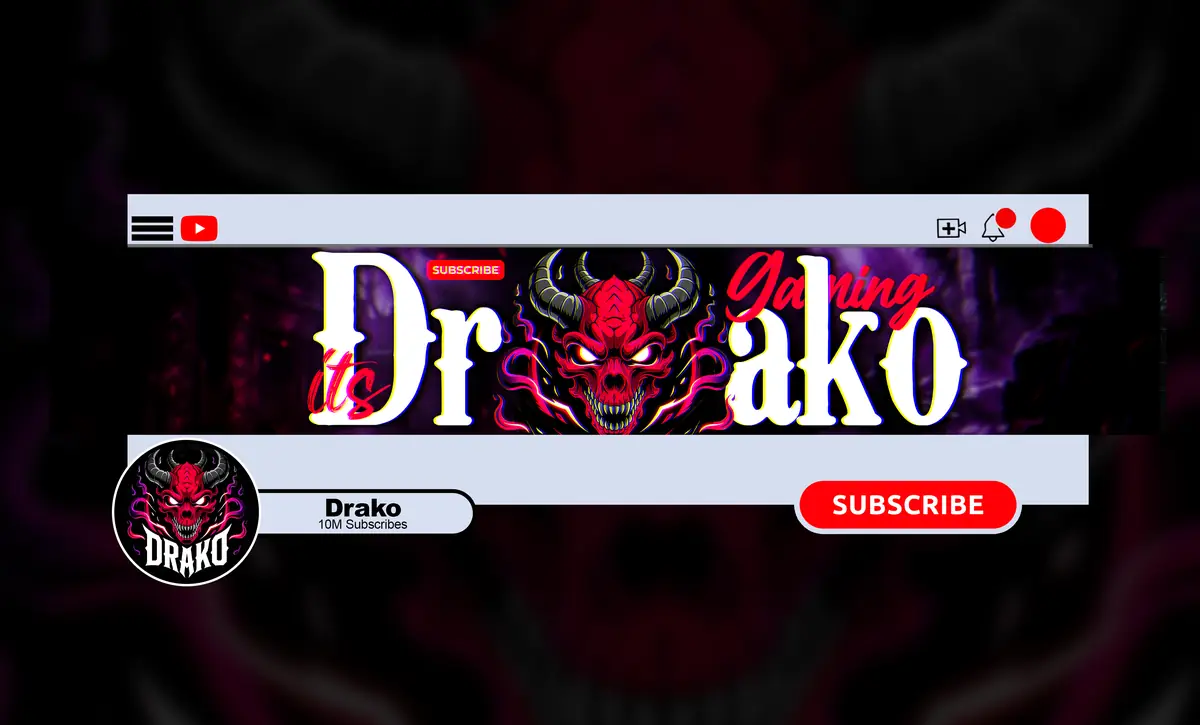
Good horror gaming channel branding does one job: it tells a viewer in under a second that your channel is about scary games and that you are the person playing them. The fastest way to get there is a bold mascot or face-led logo, a dark banner that hints at the games you cover, and the same two or three colors on every thumbnail, intro and stream overlay.
Horror gaming sits in an odd spot. It is gaming content, so it competes with bright, loud gaming channels. But the audience clicked because they want dread. Your brand has to feel like both. Below are 9 ideas that work right now, the exact sizes you need, and the mistakes that make horror gaming channels look like every other let’s-play.
What makes horror gaming channel branding different
A narration or true crime channel can be slow and quiet. A horror gaming channel usually can’t. Your viewers come for reactions, jump scares and personality, so the branding has to carry energy as well as atmosphere.
- You are the product. People subscribe to a player, not to a game. A mascot, avatar or stylized portrait usually beats a generic skull.
- You cover many games. The brand cannot belong to one franchise. Build your own monster, setting or symbol instead of borrowing a game’s characters (which also keeps you clear of copyright problems).
- You live on more than one platform. Most horror gamers stream on Twitch or Kick and post edits to YouTube and TikTok. One identity has to work at 98 px on YouTube and on a 1920 × 1080 stream screen.
9 horror gaming channel branding ideas
1. A mascot that reacts the way you do
A demon, ghoul, masked figure or cursed creature that is clearly “you”. Give it one strong feature (glowing eyes, a cracked mask, horns) so it still reads as a tiny circle. Later the same character can scream in your thumbnails and wave in your outro. See more directions in our horror YouTube logo ideas.
2. Glitch and CRT texture
Scanlines, RGB split and VHS noise connect instantly to indie and retro horror games. Keep the texture on the background and edges. Your name and face must stay clean, or nobody can read them on a phone.
3. Neon-on-black “survival” look
Deep black with one acid color: toxic green, blood red or electric purple. It feels like a flashlight in a dark corridor and it pops in a feed full of bright gaming thumbnails.
4. Your own haunted location
A motel, hospital, forest cabin or basement that becomes “your” world. Put it in the banner, open the intro inside it and end the outro at its door. It feels cinematic without copying any game.
5. Face-cam portrait with a horror twist
If your face is on every thumbnail, a stylized illustrated portrait (hollow eyes, smoke, a hood) links your logo to your videos. It works well for creators who already have a recognizable look.
6. Distressed wordmark plus small icon
A scratched or dripping wordmark for the banner, and a short icon (one letter or a symbol) for the profile picture and watermark. Long names almost never fit in a 98 px circle, so plan both versions from day one.
7. Pixel or low-poly horror
For channels that play indie, PS1-style or retro horror, a pixel or low-poly mascot signals your taste right away. It also animates nicely in short intros.
8. Series badges inside one system
If you run recurring series (“Scary Game Fridays”, co-op nights, rankings), give each a small badge in the same font and colors. Viewers learn to spot your series in search and in suggested videos.
9. A loud intro, a calm outro
Gaming viewers skip slow openings. A 3 to 6 second sting with a sound hit works better than a long cinematic. Save the atmosphere for the outro, where the end screen gives you time. Our guide to the horror YouTube intro covers timing in detail.
Horror gaming branding sizes for YouTube and Twitch
Design once, export many times. These are the sizes every horror gaming creator needs in 2026, based on YouTube’s channel branding help page and Twitch’s current upload sizes.
| Asset | Recommended size | Notes |
|---|---|---|
| YouTube banner | 2560 × 1440 px | Min 2048 × 1152, max 6 MB. Keep name and face inside the 1235 × 338 px center. |
| YouTube profile picture | 800 × 800 px | Shows as a circle at 98 × 98 px. Max 4 MB. |
| YouTube watermark | 150 × 150 px | PNG with transparency, max 1 MB. |
| YouTube thumbnail | 1280 × 720 px | 16:9. Use the same font and colors every time. |
| Twitch profile picture | 256 × 256 px or larger | Same logo as YouTube, square file. |
| Twitch profile banner | 1200 × 480 px | Keep text centered; it crops on different screens. |
| Twitch offline screen | 1920 × 1080 px | Your haunted location works well here. |
For the full banner layout, read our YouTube banner size guide. For streamers, the horror Twitch branding article lists every Twitch asset. Need panels, overlays, emotes or an offline screen designed? Message us and we will tell you what’s possible.
Colors and fonts for a horror gaming YouTube brand
- Black + blood red: classic survival horror, safe for most channels.
- Black + toxic green: zombies, infection, lab and sci-fi horror.
- Black + purple: supernatural and demon games, and it sits well next to Twitch’s own purple.
- Black + cold white/blue: slow psychological horror and analog-style games.
For type, pair one expressive display font (distressed, condensed or glitchy) with one plain bold sans-serif for thumbnails. Two fonts are enough. Thumbnail text has to be legible on a phone, so the “scary” font should stay in the logo and banner.
Horror gaming branding: do’s and don’ts
Do
- Test your logo at 98 px and on a phone before you upload it.
- Use the same mascot or portrait on YouTube, Twitch, Kick and TikTok.
- Add your upload or stream schedule to the banner if you have a fixed one.
- Keep the intro short and put the hook of the video first.
Don’t
- Use characters, logos or screenshots from games as your brand. They aren’t yours and they tie you to one title.
- Pile five horror fonts and three textures into one banner.
- Put your name in a thin, dripping font that disappears at small sizes.
- Change your colors every month. Recognition comes from repetition.
Which package fits a horror gaming channel?
Every NightCaseStudio package comes with unlimited revisions and a full refund if you cancel before work starts.
- Basic — $45, 3 days: a custom horror banner. Good if you already like your logo and just need a channel page that looks the part.
- Standard — $70, 4 days: banner plus a custom logo or mascot profile picture. The best starting point for most new horror gaming channels.
- Premium — $190, 7 days: banner, logo, watermark, intro video, outro video, full identity and source files. Built for creators who post and stream often and want one look across every platform.
Browse the banner portfolio to see how gaming and horror channels look after a rebrand.
Horror gaming channel branding FAQ
What is a good logo for a horror gaming channel?
A simple mascot or icon with one strong feature, such as glowing eyes or a cracked mask, in two high-contrast colors. It has to stay clear at 98 px, the size YouTube shows your profile picture. Avoid game characters and long names inside the circle; save the full name for your banner.
What size is a YouTube gaming banner?
Upload a 2560 × 1440 px image. YouTube accepts a minimum of 2048 × 1152 px and files up to 6 MB. Only the center 1235 × 338 px area shows on every device, so keep your channel name, mascot and schedule inside it and use the edges for atmosphere like fog, forests or glitch texture.
Can I use game characters in my channel logo?
It’s risky. Game characters and logos belong to their publishers, and using them as your brand can lead to takedowns or problems if you sell merch later. It also ties your channel to one game. An original mascot or symbol keeps your brand yours and works for every game you play.
Should my Twitch and YouTube branding match?
Yes. Use the same logo, colors and fonts on Twitch, YouTube, Kick and TikTok so viewers recognize you when they move between platforms. Only the file sizes change: an 800 × 800 px YouTube profile picture, a 256 × 256 px or larger Twitch picture, and separate banner files for each platform.
Give your horror gaming channel a face people remember
Get a custom horror banner and mascot logo from $70, or the full identity with intro, outro and watermark for $190. Unlimited revisions, full refund before work starts. Start with the Standard package or compare all packages.